Apple Unveils Final Cut Pro Shortcut Update for Streamlined MacBook Pro Editing Workflow
September 16, 2026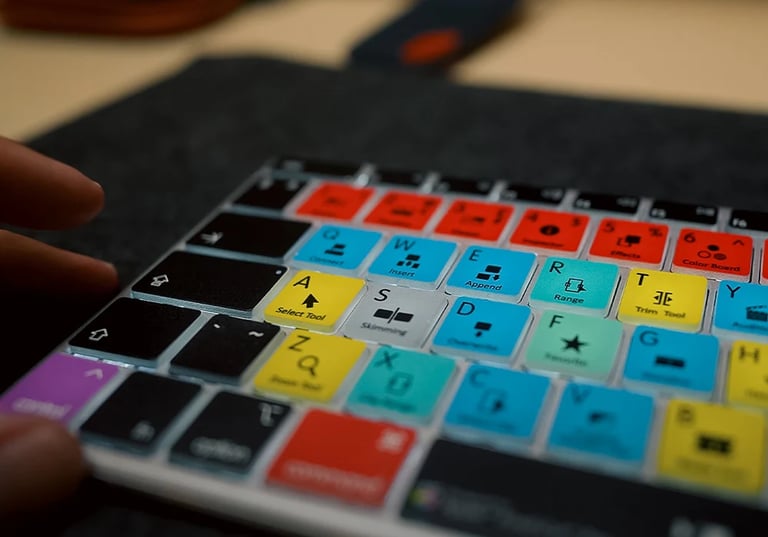

Apple has introduced a Final Cut Pro shortcut update for MacBook Pro, designed to speed up editing and streamline the Mac workflow.
The update announcement was made on September 16, 2026, and is framed as a core enhancement for cutting and organizing footage.
The essential starting shortcuts are Command-B to cut at the playhead and A to switch to the Select tool, with Command-Z for undo to maintain momentum.
Foundational shortcuts emphasized include Command-B, A, Shift-Z, M, and Option-W, which keep hands on the keyboard and prioritize storytelling.
Audio and clip organization shortcuts include inserting a gap clip with Option-W, toggling snapping with S, placing markers with M and naming them for collaboration, and adding a basic title with Control-Shift-T.
A first-step learning path suggests building rhythm with a short project that starts with the core shortcuts and adds zoom controls and undo as you go.
Timeline navigation uses Shift-Z to fit the timeline, with Command-Plus and Command-Minus for zoom, and Up/Down arrows to move between edit points for quick review and precise trimming.
Hardware context cites a baseline MacBook Pro configuration: 16 GB RAM, 512 GB SSD, Apple M5 Pro chip, 14.2-inch display, and up to 22 hours of claimed battery life.
The article notes that some product details may come from leaks or supply-chain reports and should be checked against official Apple release notes.
A recommended learning path emphasizes practicing with a short project to build editing rhythm, starting with the core shortcuts and progressively adding more as confidence grows.
Regarding accessibility, the FAQ reiterates Final Cut Pro availability on MacBook Pro and reinforces RAM considerations for smooth performance.
Bottom line: the best shortcut set is the one that keeps you hands-on-keyboard and focused on storytelling, with the outlined basics serving as the foundation.
Summary based on 1 source
Get a daily email with more Tech stories
Source

TechnoSports Media Group • Sep 16, 2026
5 Best Shortcuts for Mastering Final Cut Pro on MacBook Pro