iOS 27 Revolutionizes iPhone with Powerful Automation, Storage Management, and Customization Features
July 20, 2026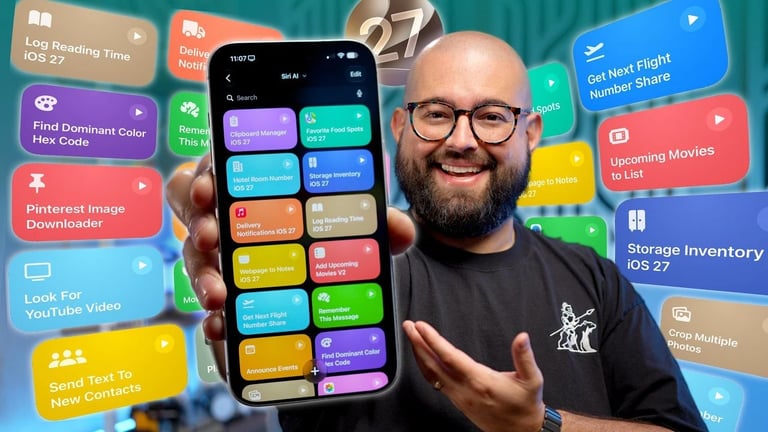

iOS 27 Shortcuts dramatically expands automation, storage management, and customization, turning iPhone usage into a highly personalized productivity hub with guides and sources for deeper exploration.
Customizable notification automations let you trigger actions from app notifications and filter by title or content to minimize distractions.
Shortcuts now extend entertainment control, enabling tracking of movies and trailers in Reminders and direct control of Sonos playback and settings.
Advanced storage and organization features include a native clipboard manager, organized favorite locations with ratings and notes, inventory tracking, and quick-access travel details.
Media and image tools cover batch photo cropping via third-party apps, extracting text from images to the clipboard, and pulling images from Pinterest boards for easy collection.
Calendar and event management includes announcing events on HomePod and auto-sharing flight details and landing updates via text to keep others informed.
Community and learning opportunities push collaboration through Shortcuts groups, live streams, and the Shortcuts University course to master workflows.
Personalized shortcuts introduce automation for location sharing, opening messaging apps, sequential workout timers, and toggle actions to switch between predefined tasks within one shortcut.
Advanced note management enables saving rich-text web pages with embedded links to Apple Notes and summarizing long pages or texts for quick reference.
Summary based on 1 source
Get a daily email with more Tech stories
Source

Geeky Gadgets • Jul 20, 2026
Why You Need to Try These 20+ Expected iOS 27 Shortcuts