Apple WatchOS 27.2 Update Enhances Siri Memory and Personalization, Expands Language Support
October 27, 2026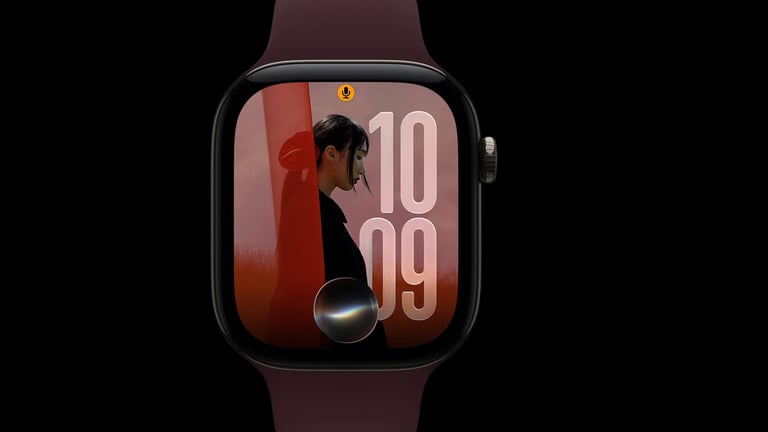

The watchOS 27.2 update brings memory for Siri on Apple Watch and faster responses, with broader personal-context access, though quantified speed gains and exact retention limits remain unfully quantified by independent tests.
Siri on Apple Watch now supports memory across conversations and pulls from a wider set of personal-context sources to answer questions more effectively.
Before updating, users should verify requirements, language settings, regional availability, and Excluded Apps controls.
Languages expand to English, French, Japanese, Korean, Portuguese, and Spanish in watchOS 27.2, while regional restrictions mostly stay the same.
A new Excluded Apps setting on iPhone limits which apps Siri, Search, and suggestions can access, and a corresponding control is also added on watchOS 27.2.
Cult of Mac is cited as the source, with Anurag Chawake listed as the author.
The update targets compatible hardware (Watch Series 9 or later, Ultra 2 or later, or SE 3) and requires an Apple Intelligence-enabled iPhone nearby; Siri remains unavailable in the EU and mainland China.
Apple Music on Apple Watch gets a visual refresh featuring a black-and-white icon and a minimalist color scheme as part of a broader Apple Music rebrand.
Siri enhances personalization by drawing on Photos in Messages, attendees in Calendar events, and Voicemails, and it improves Safari history and Reading List results from the paired iPhone.
Beyond initial sources, Siri now accesses a broader personal-context set including Messages photos, Calendar attendees, Voicemails, Safari history, and Reading List to better answer queries.
WatchOS 27.2 released on October 26, 2026, introduces memory for Siri on Apple Watch to recall prior interactions and follow up on earlier recommendations.
Installation steps include updating iPhone to iOS 27.2 first, then updating the paired Apple Watch via Settings/General or the iPhone Watch app, with the device on a charger and at least 50% battery.
Summary based on 2 sources
Get a daily email with more Tech stories
Sources

Cult of Mac • Oct 27, 2026
watchOS 27.2 makes Siri AI faster and smarter on Apple Watch
Gadget Hacks • Oct 27, 2026
watchOS 27.2 Siri Features: Memory and Faster Responses Explained