ChatGPT Desktop App Introduces 'Pets' Feature for Seamless Interaction and Customization
September 13, 2026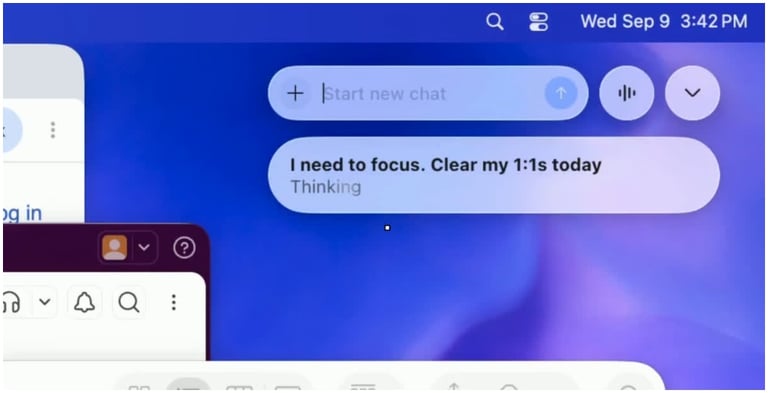

There are keyboard shortcuts for quick access: Option+Space on macOS and Windows+Alt+P on Windows, which let you start chats, view updates, or hide the Pet.
The feature is designed to minimize workflow disruption by keeping chat controls visible while you work in other desktop apps.
ChatGPT’s desktop app now includes a Pets feature that shows animated characters on screen to indicate when a task is being processed or awaiting a response.
Availability is confirmed for both macOS and Windows versions of the ChatGPT desktop app.
A Mini mode provides a compact interface that preserves core functions while taking up less screen space.
Users can start new chats and receive task updates without opening the full app, using an on-screen Pet and a small command input box.
Customization lets users choose built-in Pets or create a custom Pet, accessible via Settings > Pets, with a /pet command or keyboard shortcuts to activate or hide the Pet.
Summary based on 1 source
Get a daily email with more Tech stories
Source
Patna Press • Sep 13, 2026
ChatGPT Desktop App Adds Pets For Faster Chats And Task Updates